


BestPlay: Play Games & Earn
4.624.39K Reviews
App Specs
- Version
- 3.6.3
- Updated On
- License
- Free
- Downloads
- 10,000,000+
- Developer
- Bestplay
- Categories
- Entertainment
- Platform
- Android
Screenshots
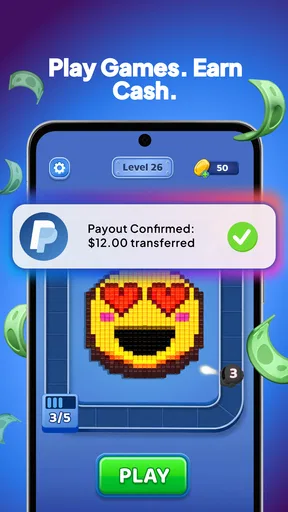
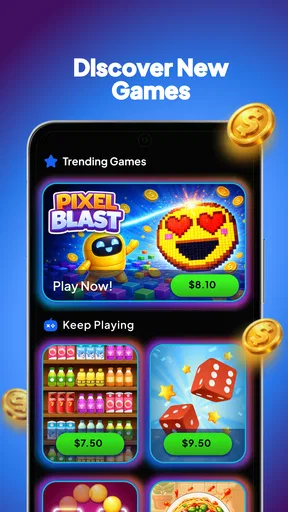
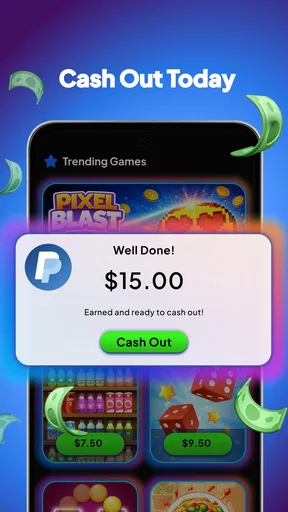
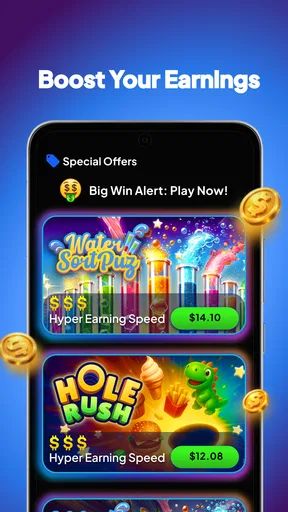
 Analysis by AppCompare
I’d treat BestPlay as a casual entertainment app with a rewards angle, rather than as a way to earn dependable income. That distinction matters: if I’m choosing something for a few spare minutes, the prospect of playing simple games while working toward a reward can make the time feel more purposeful. If I want a serious game with deep progression, or a reliable way to make money, I’d look elsewhere.
BestPlay is a free Android app from Bestplay, released on February 14, 2025. It has a 4.6 average from around 448,000 ratings and more than 10 million installs, which suggests broad interest, though popularity alone doesn’t tell me whether its reward routine will suit every player. The app is rated Mature 17+, so it isn’t the right choice for younger users. Its current version is 3.6.3, and it runs on Android 7.0 or later.
What to decide before you install
I’d start by deciding whether I want casual play with a possible reward attached, or whether I’m looking for a particular game or a dependable return for my time. That distinction shapes the whole experience: a short, enjoyable session is a better test than installing with a specific earning target in mind. Next, I’d consider how BestPlay fits the kind of breaks I actually have.
Are you here for games, rewards, or both?
The useful question is not simply whether you like casual games. It’s whether you enjoy them enough without treating the reward as guaranteed compensation for your time. I’d approach BestPlay as an entertainment app where rewards may add motivation, not as a job or a substitute for a paid game. The balance between play and reward is personal: someone who enjoys trying lightweight games may find the arrangement appealing, while someone focused on maximizing earnings may find the experience frustrating.
That expectation also helps set a sensible time budget. I’d try a short session first and see whether the games hold my attention on their own. If I’m only continuing because I’m calculating an hourly return, the app is probably a poor fit. The value here is most plausible when a game is already a pleasant way to fill a pause and the reward is a bonus rather than the sole reason to open it.
What does the reward promise actually mean in practice?
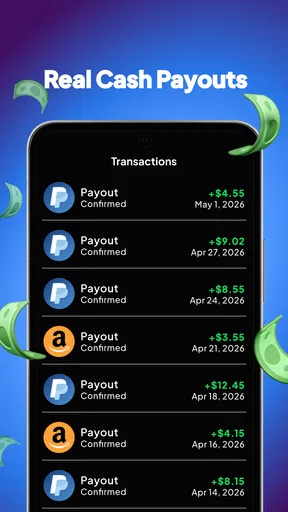
BestPlay’s central appeal is the chance to earn rewards through casual play, with PayPal or gift cards presented as cash-out routes. That gives the app a clearer purpose than a general collection of phone games, but it doesn’t make every session equally worthwhile. I’d check the in-app conditions for the particular reward I’m pursuing before investing much time, and I’d avoid assuming that progress in one game automatically translates into an immediate payout.
A practical way to judge it is to decide in advance what would count as a satisfying session: perhaps finding a game you enjoy, making visible progress toward a reward, or simply passing a short break. That prevents the common trap of playing longer than intended because a reward feels just out of reach. It also makes it easier to compare the app fairly with ordinary free games, where entertainment is the whole return.
Worth Reading Before You Choose

Flipboard Shows What News Apps Must Do Beyond the Feed

Switching to Android Auto Means Rethinking Your Driving Routine

Google Calendar Makes a Crowded Week Easier to Manage

Ludo King Makes the Most of the Minutes Between Plans

Baby Panda World Brings Quick Play to Modern Phones, but Its Game Library Feels Busy

ESPN’s Live Game View Makes Following Close Games Easier
Is its style of play right for your spare moments?
BestPlay is better suited to brief, flexible sessions than to someone seeking a single elaborate game world. I’d consider it for a commute break, a wait before an appointment, or a quiet moment at home when I want something low-commitment. A good everyday test is a ten-minute lull: open the app, choose a game, and see whether the activity feels enjoyable without demanding that you reorganize the rest of your day around it.
It is less compelling if you prefer a carefully balanced campaign, competitive multiplayer, or a game you can master over weeks. A rewards layer can steer attention toward trying or continuing games for reasons beyond their design. Players who care most about narrative, strategy, or a strong sense of completion may be happier choosing a dedicated game instead.
Where BestPlay earns its place
Where BestPlay stands out for me is the way it gives casual play an extra point of focus without requiring me to choose a single favorite game first. I’d use that flexibility to explore one activity at a time, rather than hopping around in pursuit of progress. The key is to judge the games on their own appeal, then decide whether the reward path adds enough to make another session worthwhile.
A more purposeful alternative to random browsing
When I have a few minutes and don’t know what to play, a casual rewards app can offer a simple starting point. BestPlay’s appeal is that the play session has an additional goal, while the prospect of PayPal or gift cards makes that goal easy to understand. Compared with scrolling through a general app store or opening a familiar game out of habit, it may give a casual player a reason to explore something different.
That advantage depends on how the app presents its available activities at the time you use it. I would not install it expecting a fixed library or a particular game to remain available indefinitely. Instead, I’d treat it as a changing entertainment option and choose only activities that sound enjoyable before considering the reward. This order matters: it helps keep the experience from turning into a chore.
Small habits that make reward apps easier to judge
One non-obvious but useful approach is to keep the first session deliberately short. I’d learn how the app communicates progress and what steps appear to be required for a selected reward before making it part of a routine. This is not about chasing every offer; it’s a way to learn whether the reward path is understandable and whether the games themselves suit my taste.
I’d also pick one goal at a time. If I switch between activities whenever progress feels slow, it becomes harder to tell which game I actually enjoy and whether I’m making meaningful progress. Focusing on one option for a modest session creates a cleaner comparison: did I have fun, was the next step clear, and would I play again without the reward? Those answers are more useful than an impression formed after rapidly sampling everything.
A third practical tip is to separate entertainment time from reward-checking time. I’d play for a limit I’m comfortable with, then review my progress instead of repeatedly checking it mid-session. That keeps a casual break from becoming a cycle of monitoring. If the app starts to feel like a task, that is a strong signal to stop or switch to a conventional free game.
Why the audience response is encouraging, but not decisive
Around 24,000 written reviews accompany the large volume of ratings. I take that as evidence that many people have enough experience with the app to form an opinion, not as a promise that every user will enjoy it or reach the same outcome. Reward apps are especially sensitive to personal habits: the value of a casual game, the patience someone has for progression, and their preferred redemption option all affect satisfaction.
The 4.6 average is a useful sign of general approval, but I would still read recent comments before relying on a reward routine. I’d look for descriptions of how people use the app and whether they mention the same sorts of games and cash-out route I care about. A high score can help narrow a decision; it cannot replace checking whether the experience matches my own expectations.
When another kind of app is the better choice
A different app may suit me better if I want a consistent game, a deeper challenge, or an activity chosen mainly for earning rather than playing. I’d compare the kind of attention each option asks for, not assume that one category offers a better return. That also means being honest about whether I enjoy casual games at all before I make rewards part of my routine.
Choose a regular casual game for straightforward play
If I want to tap into a game and focus only on its mechanics, a dedicated casual game is the cleaner option. It avoids making rewards part of the decision about what to play, and it can be easier to return to the same experience. BestPlay makes more sense when I’m open to casual play with an additional incentive; a standalone game is preferable when I want consistency or a particular style of gameplay.
Likewise, people who already have a favorite puzzle, arcade, or card game may not benefit from adding a rewards layer. The extra purpose can be motivating, but it can also distract from the simple pleasure of playing. I wouldn’t replace a game I genuinely love just because another app offers a reward possibility.
Choose a survey or task app if earning is the main objective
Someone whose primary goal is to exchange time for rewards may prefer comparing dedicated survey or task services instead of starting with a games app. Those categories are built around completing tasks rather than enjoying gameplay, so their structure may better match a user who doesn’t actually want to play. I would not assume one category pays better than another; the important difference is what kind of activity you are willing to do.
BestPlay is also the wrong choice if you need predictable income or a specific amount by a deadline. Casual play is discretionary entertainment, and I would never plan essential spending around it. If you need a guaranteed return for your time, focus on options whose terms and compensation you can evaluate directly rather than treating game rewards as a dependable earning plan.
Consider the attention cost, not just the price
Free removes the purchase decision, but it doesn’t make time costless. The better comparison is whether I’d rather spend a break here, in a familiar game, or doing something offline. If the reward system keeps me playing beyond the point where I’m having fun, the app has become a poor trade even without a charge.
I’d also keep the age rating in mind when deciding who should use it. Mature 17+ means this is not a family pick for younger children. For an adult looking for light entertainment, that rating is simply part of the suitability check, not a reason to assume anything about the individual games beyond the classification.
Switching in and out without overcommitting
I’d keep a trial reversible by setting a comfortable play limit and checking the relevant reward conditions before spending much time on them. If I stop, I’d review any active progress, then move on without letting earlier effort dictate what I do next. If I stay, I’d compare the experience with games I play purely for fun so I can tell whether BestPlay is earning its place.
Make a low-risk trial, then reassess
Because BestPlay is free, trying it does not require a purchase commitment. Still, I’d treat installation as a trial rather than an automatic new habit. The app supports Android 7.0 and later, so the version requirement is modest for Android users, but compatibility is only the first question; the more important one is whether its available games and reward flow feel worthwhile on your device and in your routine.
For a first visit, I’d choose one activity that genuinely sounds fun, set a personal time limit, and note how clear the next step is. Then I’d decide whether I want to return based on the whole experience, not only on how close a reward appears. This is a better test than spending a long session trying to optimize progress before I know whether I like the app.
Keep expectations flexible if you stop using it
If I decide BestPlay isn’t for me, switching back to ordinary games is simple in principle: I can return to the apps I already enjoy and stop giving time to a rewards routine that doesn’t fit. Before walking away, I’d review any active in-app progress and the conditions shown for it, so I understand what I’m leaving behind. I wouldn’t keep playing purely to avoid feeling that earlier time was wasted; that is a classic sunk-cost trap.
The reverse is true too. If I enjoy it, I’d keep it as one option among several rather than making it my default whenever I unlock my phone. Alternating with games chosen solely for their design helps reveal whether BestPlay is genuinely entertaining or whether the reward is doing all the work. That distinction is central to deciding whether it deserves a place in a regular routine.
My recommendation for the right player
I’d recommend giving BestPlay a brief try if casual games already appeal to you and a possible reward sounds like a bonus, not a promise. I’d skip it if I need predictable income, want one polished game to return to, or find progress tracking turns leisure into pressure. For me, the deciding test is simple: after a session, did I enjoy the play itself?
Who I’d recommend it to
I’d suggest BestPlay to adults who already enjoy casual mobile games, like trying different light activities, and see rewards as a pleasant extra. It can suit someone who wants to give short breaks a little structure and is comfortable judging success by both enjoyment and progress. Bestplay’s app has a 4.6 average and has reached over 10 million installs, but my recommendation is based on fit, not popularity: the best reason to use it is that the play itself appeals to you.
I’d skip it if I were looking for a deep, stable game, guaranteed earnings, or a way to meet a financial target. I’d also pass if reward tracking makes me anxious or encourages me to spend more time on my phone than I intended. A conventional free game is better when the goal is uncomplicated play; a purpose-built task service may make more sense when earning is the priority.
The bottom line
My view is that BestPlay is worth a cautious try for the right kind of casual player, not an automatic recommendation for everyone. The combination of lightweight play and potential redemption through PayPal or gift cards gives it a clear identity, but it should remain entertainment first. I’d install it, try one short session, inspect the reward steps that matter to me, and keep only the parts that are genuinely enjoyable.
If I finish a break feeling entertained and the reward progress is a welcome extra, I’d keep it in rotation. If I finish thinking only about time spent and what I might receive, I’d move on. That simple test makes the choice clearer than any headline rating and keeps the app in the role it serves best: an optional way to make casual play feel a little more purposeful.
Pros
- Offers a variety of games in one app
- so there are multiple ways to pass the time.
- Rewards provide an extra incentive to try games you might not otherwise discover.
- The free-to-install model lets you explore the app before spending money.
- Game-based tasks are generally easy to understand and get started with.
- A useful option for casual players who enjoy tracking small rewards over time.
Cons
- Rewards may require substantial playtime before they can be redeemed.
- Available games and offers can vary by location or change over time.
- Some tasks may require installing or trying third-party games and services.
- Earnings are unlikely to be a dependable source of income.
- You may need to share personal or device information to participate in offers.
FAQs for BestPlay: Play Games & Earn
What is BestPlay: Play Games & Earn?
BestPlay is a rewards app that lets users discover and play mobile games, then earn points or other rewards for completing eligible activities. The exact games, tasks, and reward options may vary by location and over time. Before downloading, check the app’s current listing and terms so you understand how activities are tracked and what kinds of rewards are available to you.
How do you earn rewards in BestPlay?
Typically, you earn rewards by selecting games or offers through BestPlay and meeting the requirements shown for each activity, such as reaching a milestone or spending a specified amount of time playing. Read those requirements carefully before starting: eligibility, time limits, and tracking rules can differ. Rewards are not guaranteed for every session, and incomplete or untracked tasks may not qualify.
Can you withdraw BestPlay rewards as cash?
Available redemption methods depend on the app’s current reward catalog and may vary by country, account, or platform. Check the rewards section for the options, minimum redemption thresholds, and any processing conditions that apply to your account. Points should not be treated as guaranteed cash income: reward values and availability can change, and withdrawals may require account verification or additional steps.
Is BestPlay: Play Games & Earn free to use?
You can generally download and use a rewards app without paying an upfront fee, but that does not mean every game or offer is entirely free. Some featured games may include optional in-app purchases, advertisements, or other costs. Review the offer details and the game’s store listing before participating, and avoid spending money unless you are comfortable with the cost and understand whether it affects reward eligibility.
Is BestPlay available on Android and iOS, and what should I check before downloading?
Availability can vary by country, device, and app-store listing, so confirm that BestPlay is offered for your version of Android or iOS before downloading. Also review the developer information, recent user feedback, permissions, privacy details, and terms for reward tracking. If an activity does not record correctly, use the app’s stated support process and keep relevant task details or screenshots.


